

Access requests
A request is different from an invite: an invite is you reaching out to a specific person, while a request is a stranger asking to come in. Someone signed up with an email on a domain your workspace already owns, and that alone does not prove they belong to your organization — nothing is granted until an owner or admin decides.
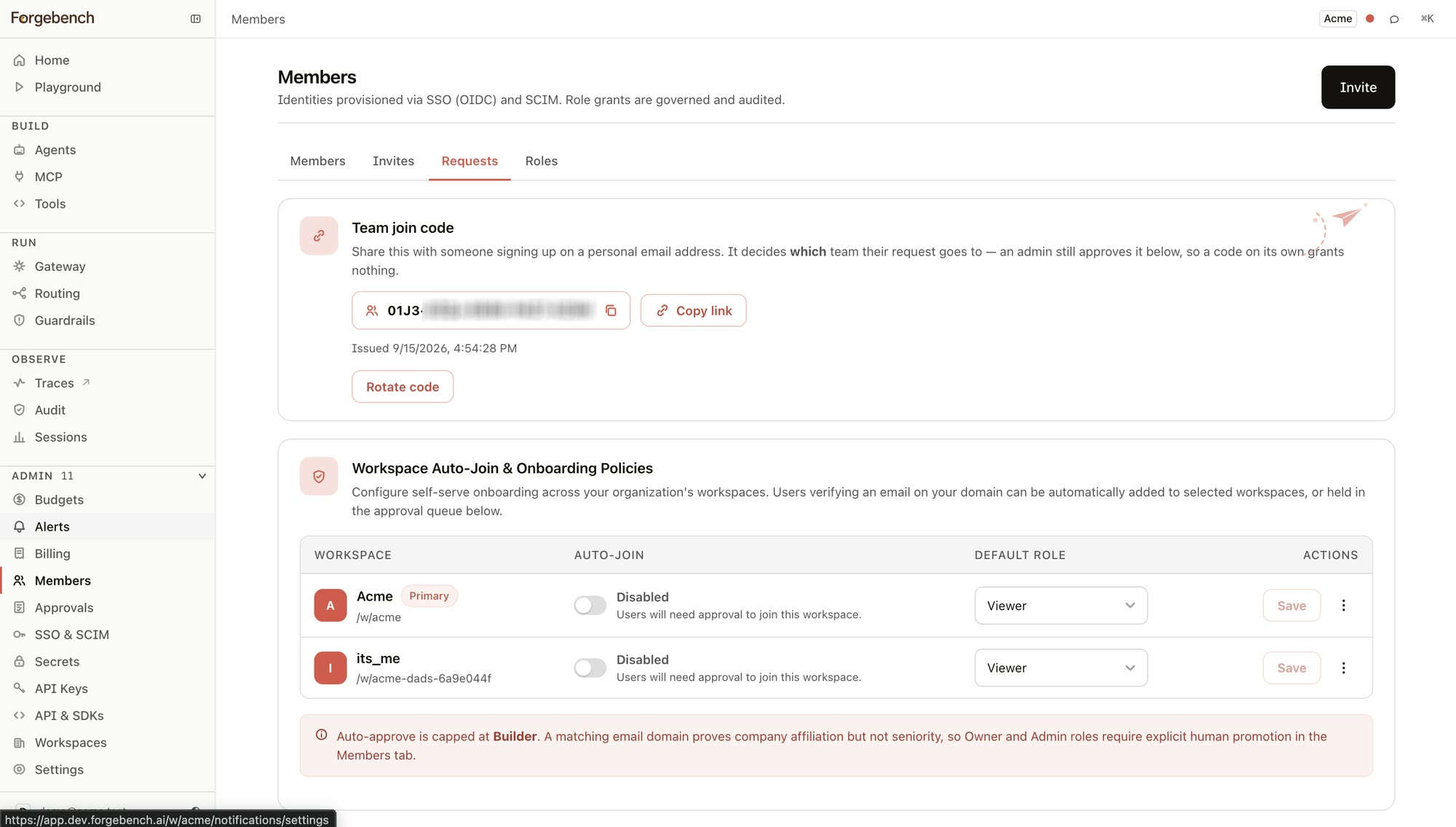
The join code
Only meaningful for a team whose members sign in with a personal email address. A work email is already routed to the right workspace by its verified domain — one domain, one organization — so a corporate team has nothing to hand out here and this card shows its empty state instead of a code.
Where it applies, the join code is what routes a personal-email signup to this workspace specifically: share it with someone you want to invite that way, and their signup lands in your approval queue below.
Auto-join and onboarding policy
Visible to anyone with workspace-management rights, this table covers every workspace in the organization at once. For each one:
| Setting | What it controls |
|---|---|
| Auto-Join | On: a user verifying an email on this workspace's domain is added automatically, no approval step. Off: they land in the queue below instead. |
| Default Role | The role an auto-joined member receives — viewer, builder, or a custom role from this workspace's own catalog. Capped at builder: a matching email domain proves company affiliation, not seniority, so granting owner or admin this way always requires an explicit human promotion from the Members tab afterward. |
The approval queue
Every pending request: who, and when they asked. Two choices per row:
| Action | What happens |
|---|---|
| Deny | The request is closed. Nothing was ever granted, so there is nothing to undo. |
| Approve… | Opens a dialog where you choose the role — a system role, or a custom one — before anything is granted. The dialog shows exactly what that role already carries, read from the same permission bundle the gates enforce, so the choice is informed rather than a guess. |