

SSO and SCIM
Connect your own identity provider so your team signs in through it, and optionally let it provision and deprovision console access automatically.
SSO puts sign-in behind your own IdP. SCIM extends that to provisioning: your IdP tells Forgebench who should have access at all.
Connect your identity provider
Open SSO & SCIM
In the sidebar, expand Admin and choose SSO & SCIM. Configuring it requires the admin role.
Choose OIDC or SAML
For OIDC, you need your IdP's issuer URL, a client ID and a client secret. For SAML, the IdP metadata URL (or Entity ID), the SP audience/issuer, and a signing certificate.
Hand your IdP the callback endpoint
OIDC gets a redirect URI (
/sso/oidc/callback); SAML gets an ACS URL (/sso/saml/acs) and an SP entity ID (/sso/saml/metadata). Add these to your IdP's application configuration before testing.Test, then save
Test connection runs a local check that the required fields are present and well-formed. Enforcing SSO is disabled until a test passes.
The client secret (or SAML signing certificate) is write-only, the same posture as Secrets: the console shows only whether one is stored, never its value. Leave it blank on a later edit to keep the existing one.
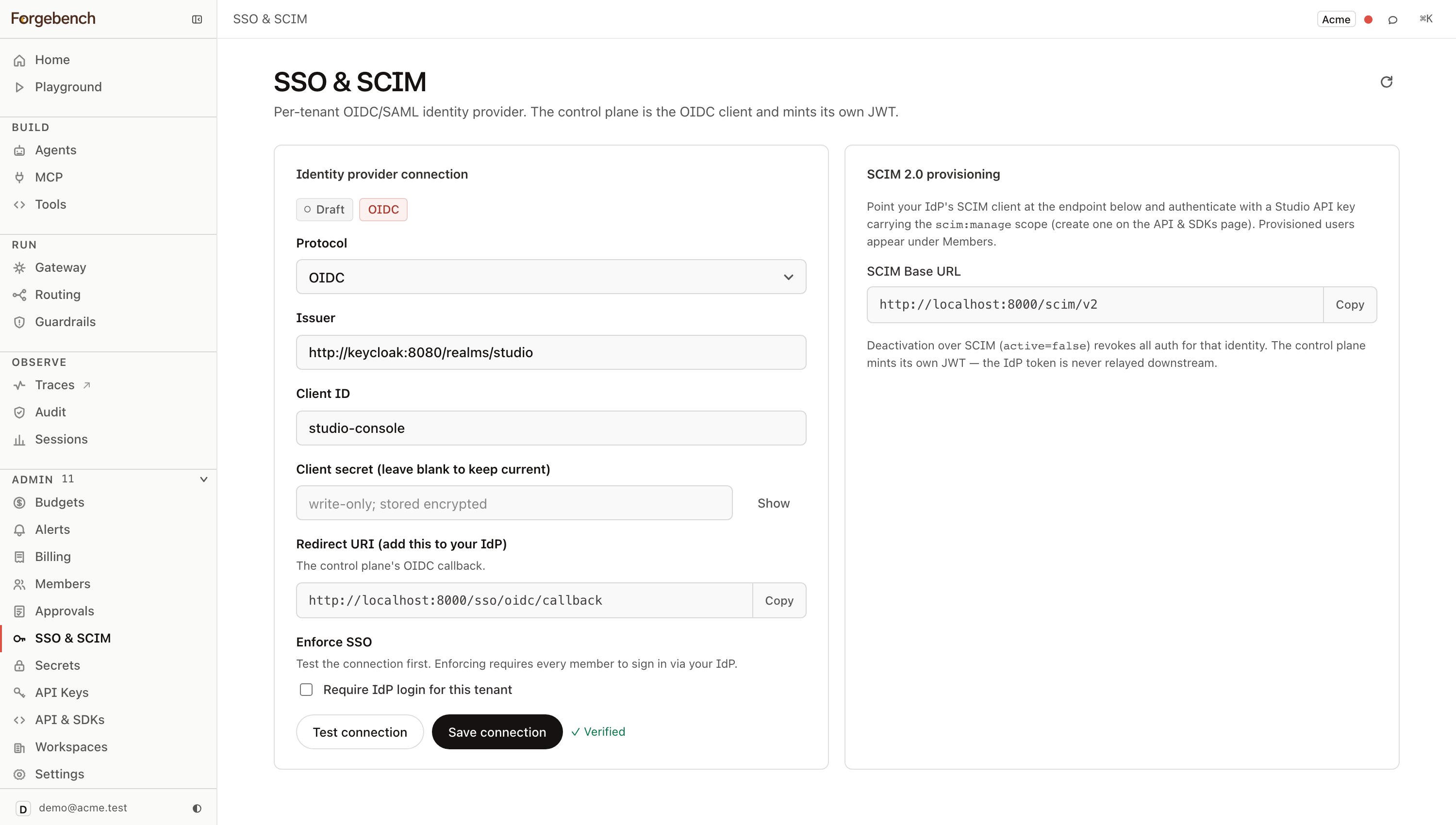
Enforcing SSO
Turning on Enforce SSO requires every member of the tenant to sign in through your IdP. Anyone without a matching IdP identity loses console access until they're provisioned there. Because this is high-stakes and tenant-wide, the console confirms it explicitly before the toggle takes effect, and enforcement only actually applies once you save the connection.
SCIM provisioning
SCIM shares the same identity table SSO authenticates against — a user
provisioned by SCIM and a user who signs in through your IdP end up as the
same kind of row, not two parallel systems. Point your IdP's SCIM client
(Okta, Azure AD, OneLogin, or any SCIM 2.0-compliant source) at the base URL
shown on this page, authenticated with a Forgebench API key carrying the
scim:manage scope — create one on the API keys page.
Provisioned users appear under Members. Deactivating a user
over SCIM (active=false) revokes all of their console access immediately.
Console sessions and API keys are the same credential kind
Once your team can sign in via SSO, they carry a console session token. That
token and a programmatic sk_... API key are not different tiers of access —
both are handed to the API the same way, as Authorization: Bearer <credential>,
and both resolve to the same kind of Principal server-side. A session from an
SSO login and a key minted on the API keys page differ in how
they were issued, not in what they can prove once issued.